How to Turn Your Dog Into a King With an AI Pet Portrait App
Want to see your dog looking like royalty? Here is exactly how to create a majestic king portrait of your pet using just one photo.
 DevForge Studio
7 min read
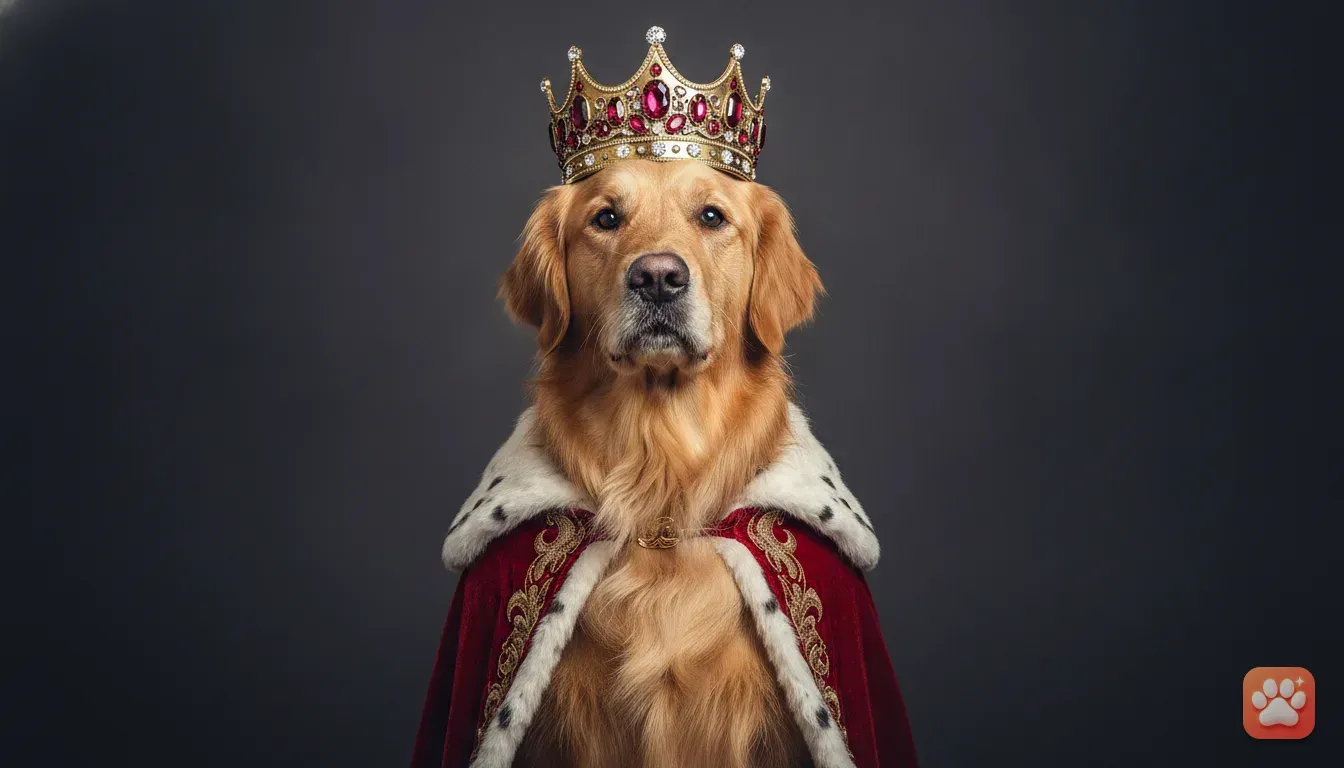
You want to see your dog looking like absolute royalty, complete with a gold crown and a heavy velvet cape. If you want to know how to turn my dog into a king with an AI pet portrait app, it's surprisingly easy. You just need a clear, well-lit photo of your dog facing the camera.
Upload that picture to the app and select the King outfit. The software generates a studio-quality portrait. It keeps your dog's exact fur colour and facial markings intact.
Skip the expensive fabrics. They'll just chew them up or drag them through the mud anyway. A good pet photo editor app handles the hard work for you in seconds.
We'll show you exactly how to get that majestic shot. We cover what kind of photos work best and what to do with the final image. You can easily share the results with family and friends.
Why digital costumes beat real physical outfits
We all know the struggle of putting a real crown on a fussy terrier. You spend money on a tiny royal cape and tie it gently around your squirming puppy. Then they immediately shake it off.
Physical costumes are expensive and hard to fit properly. Most pets frankly hate wearing them. They scratch at the hats and look entirely miserable by the time you take a picture.
With a digital tool, your pet stays perfectly comfortable on the sofa. The technology builds the royal scene around them. You get a highly produced pet costume photo without stressing out your dog.
The lighting matches perfectly. The crown fits their exact head shape. You don't have to worry about buying the right size or dealing with shipping delays.
This creates funny pet photo ideas for your family group chat or social media. You get all the laughs without the usual hassle.
How to turn your dog into a king step by step
Creating a masterpiece takes just a few minutes. Here's the exact process we follow in the studio to get the best possible result.
1. Pick a clear base photo
Go through your phone gallery. Find a photo where your dog looks directly at the camera. The best pictures show their full face, neck, and shoulders.
Make sure the lighting is bright and their eyes are wide open. If you don't have a good shot, snap a quick photo of them sitting nicely.
2. Open your pet portrait generator
We built Furstume AI specifically for this exact task. It learns your pet's specific features. It doesn't just paste a generic dog face onto a king's body.
The app keeps your dog's real fur patterns, spotty nose, and eye colour. The final result actually looks exactly like them. Your first portrait is completely free, and you earn more credits just by checking in daily.
3. Select the King costume
Upload your photo and browse the costume gallery inside the app. Tap the King option. The app adjusts the royal robes to match the size and posture of your specific pet.
A tiny Chihuahua gets a crown scaled perfectly to their little head. A large German Shepherd gets a broad cape and a heavy royal collar with jewels.
4. Save and share
After a few moments, your image is ready. Save it to your phone in full studio quality. Share it straight to your WhatsApp status or Instagram feed directly from your camera roll.
Taking the perfect source photo at home
Taking a new picture is easy if you follow a few basic photography rules. The quality of your AI pet portrait relies entirely on the photo you provide.
Use natural window light: Avoid taking photos at night under yellow living room bulbs. Place your dog facing a large window during the day. This fills their eyes with light and captures their true coat colour perfectly.
Get down on their level: Don't just point your phone down from where you stand. Crouch down so your phone camera is at their eye level. This creates an intimate portrait and prevents their nose from looking unnaturally large.
Use the treat trick: Hold a piece of cheese or their favourite toy right above your phone lens. They'll look directly into the camera with an alert expression. Make a weird noise if you need them to perk up their ears.
Clear the background: The app removes the background for you. Still, a plain wall or empty floor makes it much easier for the software to detect exactly where your dog ends.
Fun ways to use your royal pet portrait
You have a high-resolution image of your dog dressed as a monarch. Now you have plenty of great options for using it. These images make brilliant conversation starters.
Print a custom canvas
This is one of the best pet portrait gift ideas for a partner or parent. Print the king portrait on a large canvas. Hang it right above the dog's bed or above the fireplace.
It looks like a classic oil painting. A large physical print always gets a huge laugh from house guests.
Dog birthday photoshoot ideas
If your dog has a birthday coming up, skip the messy cake smash. Use the king portrait as the front cover of their birthday invitation. You can also print it onto little party favour tags.
Phone cases and mugs
Upload your royal portrait to a custom printing website. Get it printed on your daily coffee mug or phone case. Looking at your dog dressed as a king while drinking morning tea is a fantastic way to start the day.
Cute cat photo ideas for Instagram
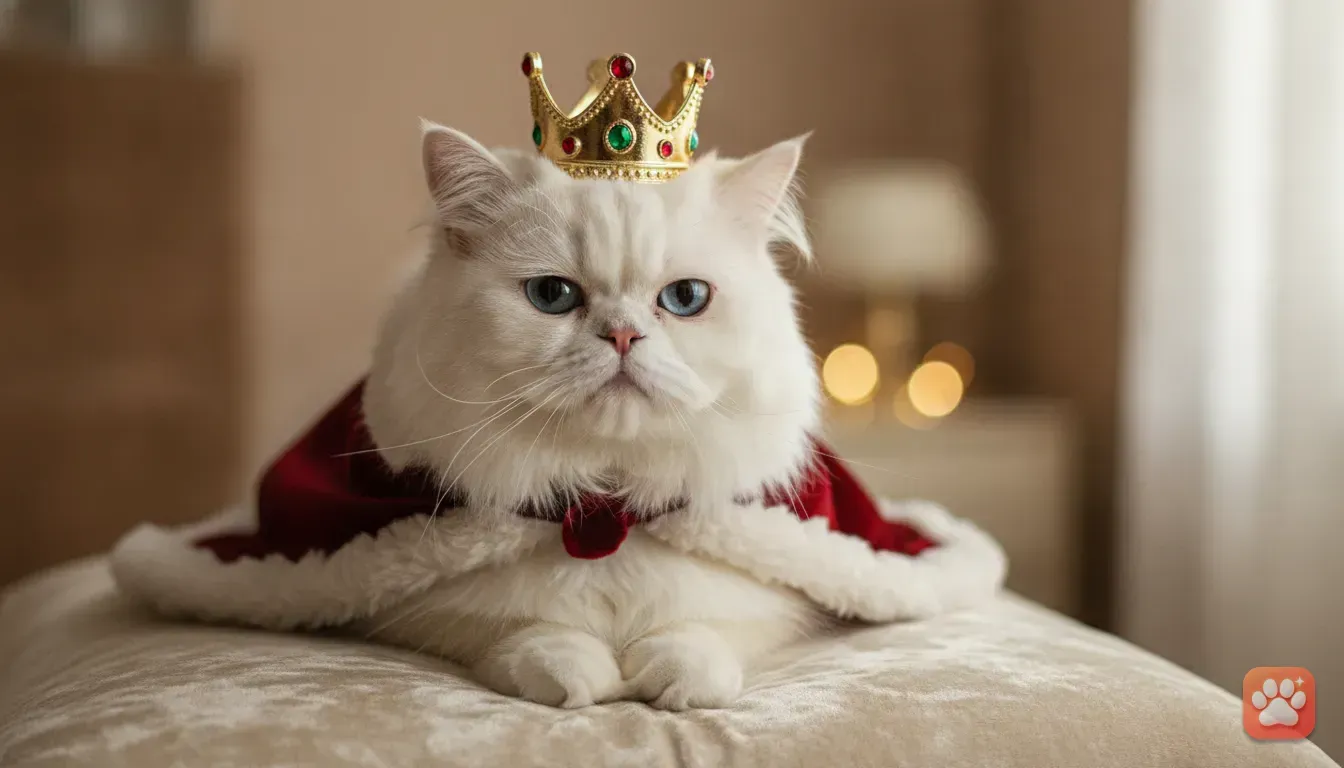
This works just as well if you have a cat. Turning a grumpy Persian or a cheeky ginger tabby into a displeased monarch is comedy gold.
Post it to your Instagram grid or stories. Add a funny caption about them finally getting the respect they demand from you.
Beyond the crown: Other fun outfits to try
You'll probably want to try other styles later. A dedicated app gives you a massive variety of options.
Seasonal festivals: A Santa costume for dog photo shoots is incredibly popular during the holidays. Check out our guide on the best Christmas costume ideas for dogs and cats photos to create a festive card without buying tiny hats.
Spooky season: For pet Halloween costume ideas, try the Wizard, Superhero, or Astronaut options. You get all the fun of dressing them up. You avoid forcing them into an uncomfortable scratchy outfit.
Everyday comedy: Sometimes you just want a quick laugh on a Tuesday. The Chef or Taco outfit is perfect for your family WhatsApp group. The app gets new seasonal drops regularly for events like Diwali or birthdays.
Common mistakes when making AI pet photos
To get that flawless studio-quality look, you need to avoid a few common pitfalls. We see these mistakes often in the editing room.
Using a blurry action shot: The AI will struggle to figure out facial features if your dog was running or shaking. Always use a crisp, perfectly still photo.
Having humans in the frame: Furstume AI is designed specifically for pets to protect human privacy. The app won't process a selfie of you and your dog correctly. Make sure the photo only contains your furry friend.
Blocking the face: Your dog might have a large toy in their mouth. They might rest their chin behind a table leg. The app cannot generate the missing parts of their face, so ensure their whole head is visible.
Using screenshots: Taking a screenshot of an old photo reduces the quality significantly. Always upload the original image file from your camera roll so the app has all the details.
Ready to crown your pet?
Creating a royal portrait takes less time than making a cup of coffee. You don't need technical skills or professional photography equipment.
Just open your phone gallery. Find that one perfect, clear photo of your pet looking up at you. Let the software do the rest.
Go grab your phone right now. Find your favourite picture. Give your pet the royal title they already act like they deserve.
Frequently asked questions
Does this work for cats as well as dogs?
Yes. The app works perfectly for dogs, cats, rabbits, and hamsters. You can turn any of these pets into a king, a chef, or a wizard.
Are my pet photos kept private?
Absolutely. Your pet photos are only used to create your portraits. We do not use human faces, and you can delete your data from the app at any time.
Do I need to pay to try the King costume?
Your first portrait is completely free. If you want to try more costumes later, you can earn extra credits by using the daily check-in feature.
Can I print the final image?
Yes, the generated portraits are saved in high quality. You can easily print them on canvas, mugs, or birthday cards without losing detail.
Try it yourself
Furstume AI
Turn your pet into Santa, a King, a Chef and 100+ costume portraits.