How to Try On Clothes Virtually Before Buying Online
Stop guessing your size and style. Learn exactly how to use AI tools and your smartphone to test any outfit before you click the buy button.
 DevForge Studio
8 min read
Buying clothes online usually involves a lot of guessing. You see a great outfit on a model, click buy, and hope it looks just as good on you. Half the time, it doesn't.
The fabric falls differently. Maybe the colour washes you out, or the style just feels wrong for your body type. Returning items is a frustrating chore.
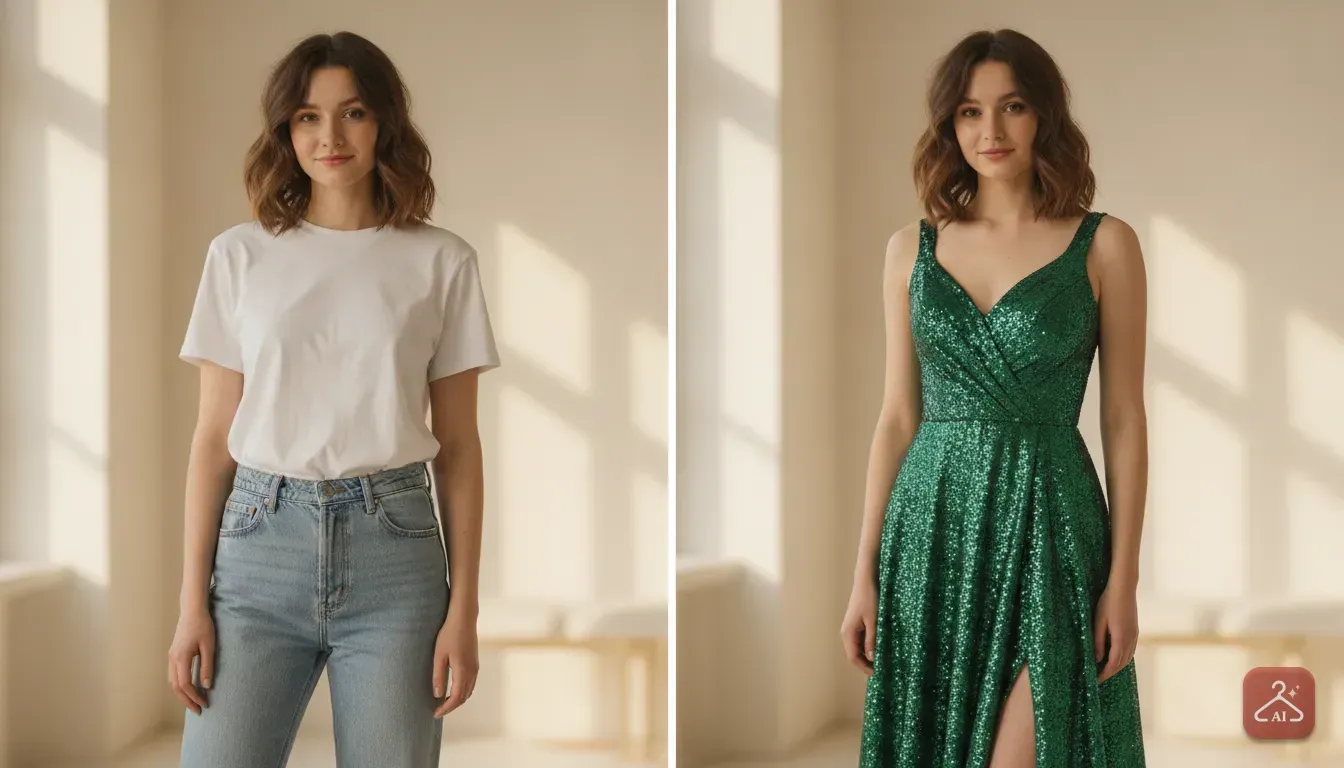
Fortunately, learning how to try on clothes virtually before buying online is surprisingly easy. You just need two things. Grab a clear, full-body photo of yourself and save an image of the clothing you want to buy.
You then feed these two pictures into a virtual try-on app or use built-in augmented reality store features. The software maps the digital garment onto your body shape. You'll see exactly how the colour, neckline, and silhouette suit your vibe.
We'll walk through exactly how to set this up. We'll show you the best tools to use and how to take a realistic base photo.
Method 1: Using Built In Retailer Features
Some major online stores build virtual fitting rooms directly into their apps. This is the quickest way to test an item if the store supports it. Large retailers like Walmart let you select a model who closely matches your height, skin tone, and body type.
Click on a shirt or dress, and the site updates the photos to show the item on your chosen model.
Other brands use your smartphone camera for an augmented reality overlay. You might have seen this with eyewear brands like Lenskart or on Amazon. The app places the glasses on your face in real time.
Some sneaker brands do this for shoes. You just point your camera at your feet to see the trainers.
The main benefit of these built-in tools is convenience. They sit right on the product page. However, they come with a big limitation.
You're completely restricted to the brands that paid to develop this technology. Most of the time, you're looking at a lookalike model rather than your own body. If you want to shop at smaller boutiques or vintage stores, you'll need a different approach.
Method 2: Using Dedicated AI Try On Apps
Independent AI apps are the best way to see clothes on your actual body. You aren't restricted to one specific store. You can test out a vintage jacket from a resale site or a unique boutique dress.
You get to act as your own stylist.
This is exactly why we built Outfit Gen AI. We wanted a tool that works for any item you find online. Using the Outfit Swap feature is straightforward.
You upload a photo of yourself, then upload the product photo from the shop. The AI replaces your current clothing with the new item.
We've found it handles complex fabrics beautifully. It works great for a heavy lehenga, a draped saree, a classic kurta, or standard party wear.
Privacy is a common concern with independent apps. You're uploading personal photos, after all.
We designed Outfit Gen AI to be safe by design. Every generated image passes an automatic safety check before you see it. Your photos remain secure, and the system refuses inappropriate requests.
How to Take the Perfect Base Photo
Your results are only as good as the photo you supply. If you upload a dark or blurry photo, the AI will struggle to find your shoulders and waist. Here's exactly how to set up your camera for the best base image.
Find Even, Natural Lighting
Lighting is the most critical factor. Stand facing a large window during daylight hours. You want soft, even light hitting your face and body.
Don't stand with the window behind you. This turns you into a dark silhouette. Turn off overhead indoor lights if they cast harsh shadows under your eyes and chin.
A well-lit photo allows the software to match skin tones naturally with the new clothing.
Wear the Right Foundation Clothes
The clothes you wear in your base photo really matter. You should wear tight-fitting, neutral clothing. A simple tank top and fitted leggings or shorts work best.
If you wear a baggy winter sweater, the AI will try to drape a delicate silk dress over that bulky shape. The result will look lumpy and distorted. Give the software a clean, accurate outline of your actual body.
Use a Neutral Background
Stand against a plain wall. White, grey, or beige walls are ideal. Cluttered backgrounds like messy bedrooms or bookcases confuse the AI mapping process.
The software might accidentally mistake a patterned curtain behind you for part of your arm. Keep it simple.
Perfect Your Pose
Prop your phone on a shelf or tripod, and set a timer. Stand straight with your feet slightly apart. Let your arms hang down, but keep them slightly away from your sides.
We call this an A-pose in the studio. It creates a gap of empty space between your arms and your torso. This empty space is crucial because it tells the AI exactly where your waistline is.
Avoid crossing your arms or putting your hands in your pockets. This blocks the clothing.
Getting the Best Clothing Images from Stores
Once you have your perfect base photo, you need a good picture of the outfit you want to buy. Not all online store photos are created equal.
Sometimes a shop only shows the item worn by a model sitting down or leaning against a wall. Busy backgrounds can also cause issues.
Look through the product gallery for a flat-lay image to get the most realistic try-on. This is a picture of just the clothing lying flat or hanging on an invisible mannequin against a white background. Save this image to your phone.
If the store only has photos of a model wearing the clothes, you might need to clean the image up first. In Outfit Gen AI, you can use the Extract Outfit feature. This tool takes a photo of someone wearing a look and turns it into a clean product image.
You then use that clean image to dress your own photo. We added this extra step to stop the AI from getting confused by the original model's limbs or background.
Mixing and Matching with Your Wardrobe
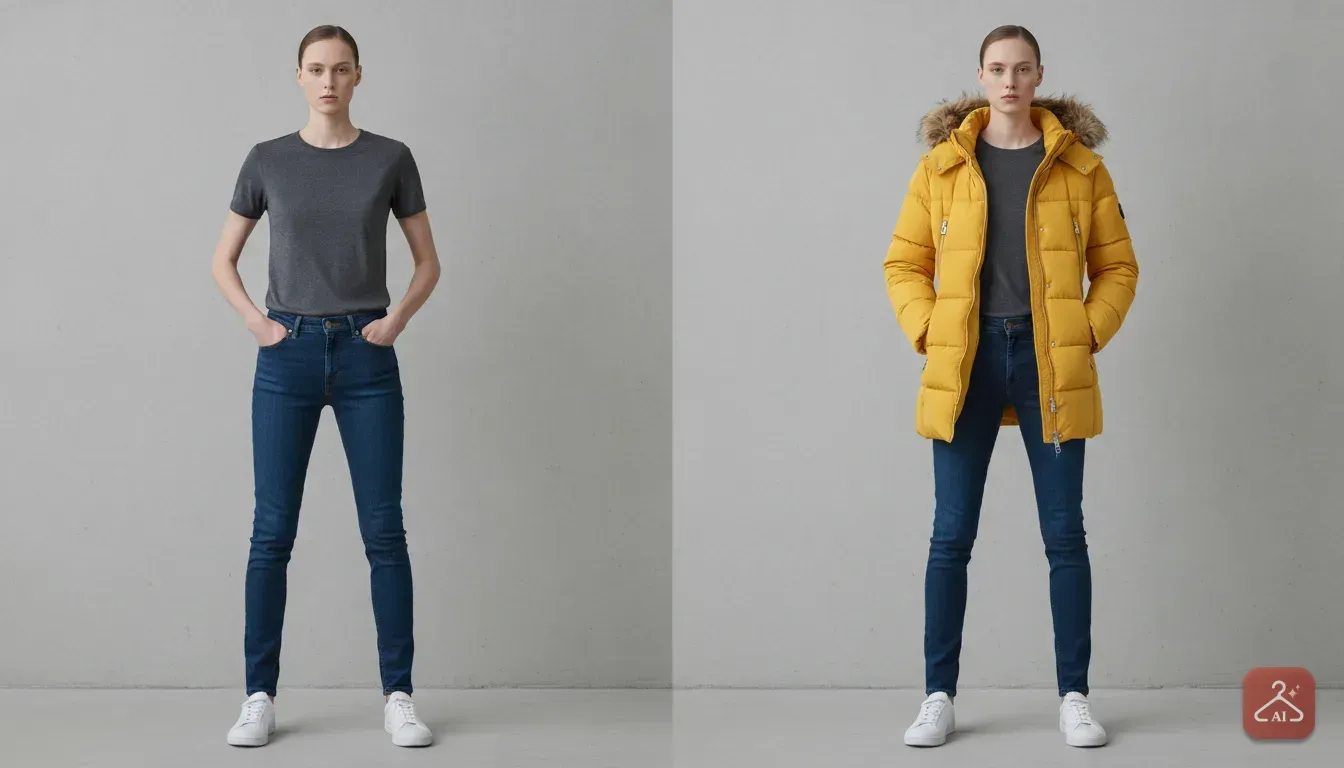
A highly practical way to use this technology is testing how new items fit with clothes you already own. Often, we buy a bright patterned shirt and then realise we have no trousers that match it.
You can solve this before you buy. Put on your favourite pair of jeans or a skirt you wear often. Take a base photo wearing that bottom half and a simple, tight top.
Next, find the new shirt you want to buy online. Run it through your try-on app. You'll see exactly how that new purchase looks paired with the jeans you already have in your closet.
You can even take it a step further if you're planning a whole look for an event. Use the AI Edit features in our app to change the background of your generated photo to match the venue. You can adjust the lighting or describe a specific edit in your own words.
If the result looks a bit soft, use the 4K Upscale button. It turns your preview into a sharp, high-quality image with one tap. This gives you a complete preview of your outfit in the environment you'll actually wear it.
What a Digital Fitting Room Cannot Do
While virtual try-ons are incredibly helpful, it helps to understand their limitations. They're visual tools, not physical tailoring tools.
They can't tell you how the fabric feels against your skin. You won't know if a wool jumper is itchy or if a synthetic dress clings in the summer heat. You still need to read the fabric composition details on the website.
More importantly, virtual try-ons can't give you exact sizing advice. AI tends to make clothes look like they fit perfectly by morphing the digital fabric to match your outline.
It won't tell you if the armholes are too tight or if the trousers will be two inches too short. Don't rely on an image to decide between a medium and a large.
Tips to Use Alongside Your Virtual Try On
To completely stop guessing and reduce your online shopping returns, combine your digital image test with these traditional checks.
- Know your exact measurements: Buy a flexible measuring tape. Measure your chest, waist, and hips, then write these numbers down in your phone notes. Ignore letter sizes like S, M, or L, as they change wildly between brands. Always check the brand's specific size chart.
- Read the negative reviews: Sort customer reviews by one and two stars. Look for comments about the fit. If multiple people say a dress runs small across the shoulders, take note of that.
- Check the fabric stretch: Look for materials like elastane or spandex in the product description. If an item has zero stretch and you're between sizes, always size up.
Your Next Step for Smarter Shopping
You have all the information you need to stop making blind purchases. Your next step is simple. Find a well-lit room, put on basic fitted clothing, and take a clear base photo of yourself today.
Save it to a dedicated folder on your phone. The next time you see an Instagram ad for a jacket, don't just imagine how it looks.
Save the product photo, run a quick try-on, and see for yourself. It takes two minutes and saves you endless trips to the post office for returns.
Frequently asked questions
Does virtual clothing try-on work for all body types?
Yes, AI tools map the digital clothing to your specific proportions. As long as you provide a clear photo in fitted clothing, the software will accurately reflect how the garment's silhouette looks on your unique body shape.
Can virtual try-ons help me find my exact size?
No, virtual try-ons are primarily for style, colour, and silhouette matching. The AI morphs the clothing to fit your image, so you still need to check the retailer's size chart and your actual body measurements to choose between a medium and a large.
Do I need special equipment to try clothes on virtually?
You only need a smartphone camera and good natural lighting. Stand against a plain wall, wear tight-fitting clothes, and use your phone's timer to capture a clear, full-body base photo.
Does virtual try-on work for traditional wear like sarees or lehengas?
Yes, advanced tools are trained on diverse fashion styles. Apps like Outfit Gen AI can handle complex draping and heavy fabrics, allowing you to accurately test traditional Indian outfits alongside standard western wear.
Try it yourself
Outfit Gen AI
See yourself in any outfit before you buy it.