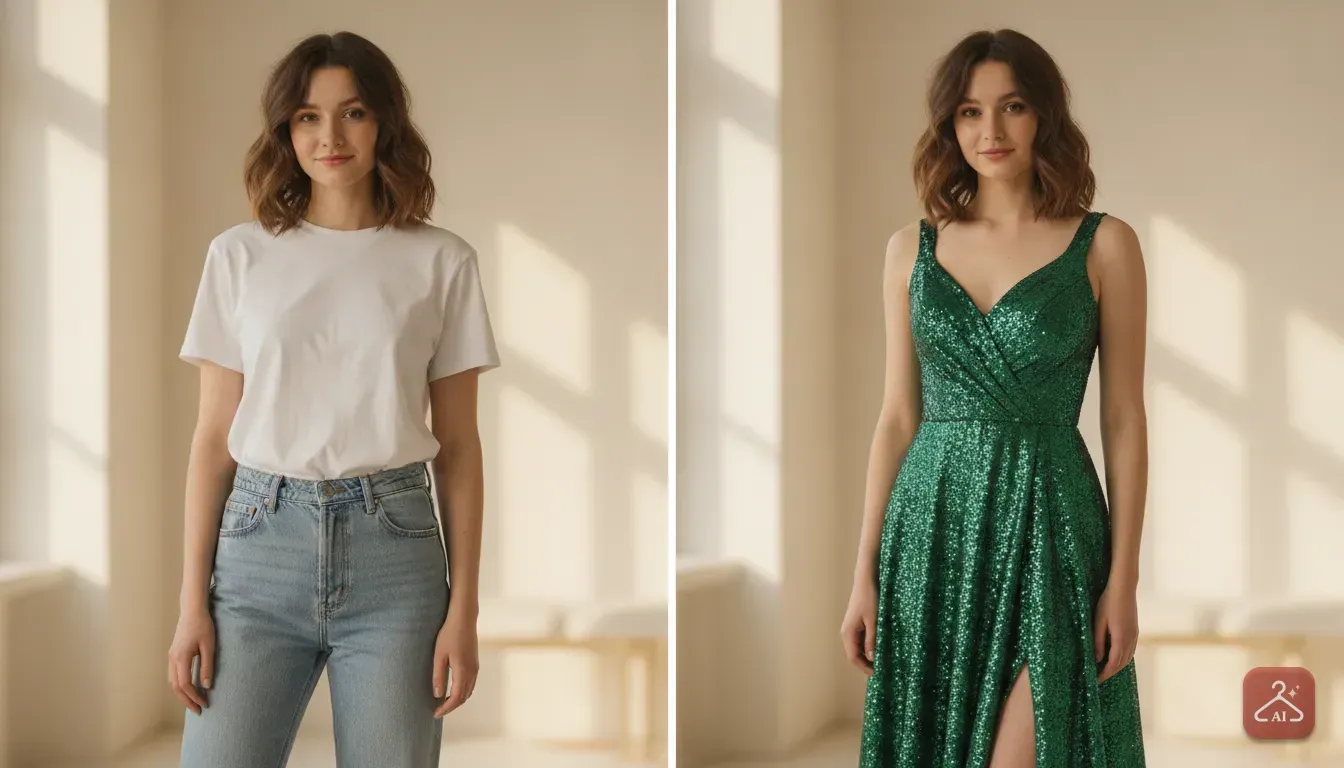
How Small Clothing Sellers Can Make Catalogue Photos Without a Photoshoot
Learn how to turn simple flat lay pictures into professional model photos for your online store using just your smartphone and AI.
 DevForge Studio
7 min read
Getting professional photos for your clothing line is usually the hardest part of starting an online boutique. Hiring a model, renting a studio, and booking a photographer costs a fortune. If you are a small clothing seller wondering how to make catalogue photos without a photoshoot, the answer is simple home photography mixed with smart AI tools.
You don't need a pricey camera or a rented space. By taking a clear, flat picture near a window, you can use AI apps to place that clothing onto a virtual model. We've done this countless times, so let's walk through the exact steps to get your inventory ready for sale.
Why mannequins and messy flat lays cost you sales
When online shoppers browse platforms like Myntra, Meesho, or Instagram, they want to picture themselves wearing your clothes. A flat lay on a wrinkled bedsheet or a stiff plastic mannequin makes that impossible. They simply can't see how a dress flows or how a kurti fits across the shoulders.
Customers who can't see the fit often hesitate to buy. If they do take a chance, they might return the item because it looked different on the hanger. Seeing a garment on a model gives buyers total confidence in the length, sleeve style, and fabric drape.
Until recently, you had to pay thousands of rupees for a professional shoot. Now, you can generate sharp product photos for your online clothing store right from your living room. You'll get higher click rates on your ads and fewer DMs asking how the outfit looks when worn.
Step 1: Prep your garments for the perfect base photo
AI tools are smart, but they need a good starting point. If you upload a heavily wrinkled shirt, the AI will put a wrinkled shirt on the virtual model. Preparing your clothes properly is crucial.
Start by steaming or ironing your garments thoroughly. Pay close attention to collars, hems, and sleeves. These structural details help the software read the shape of the clothing.
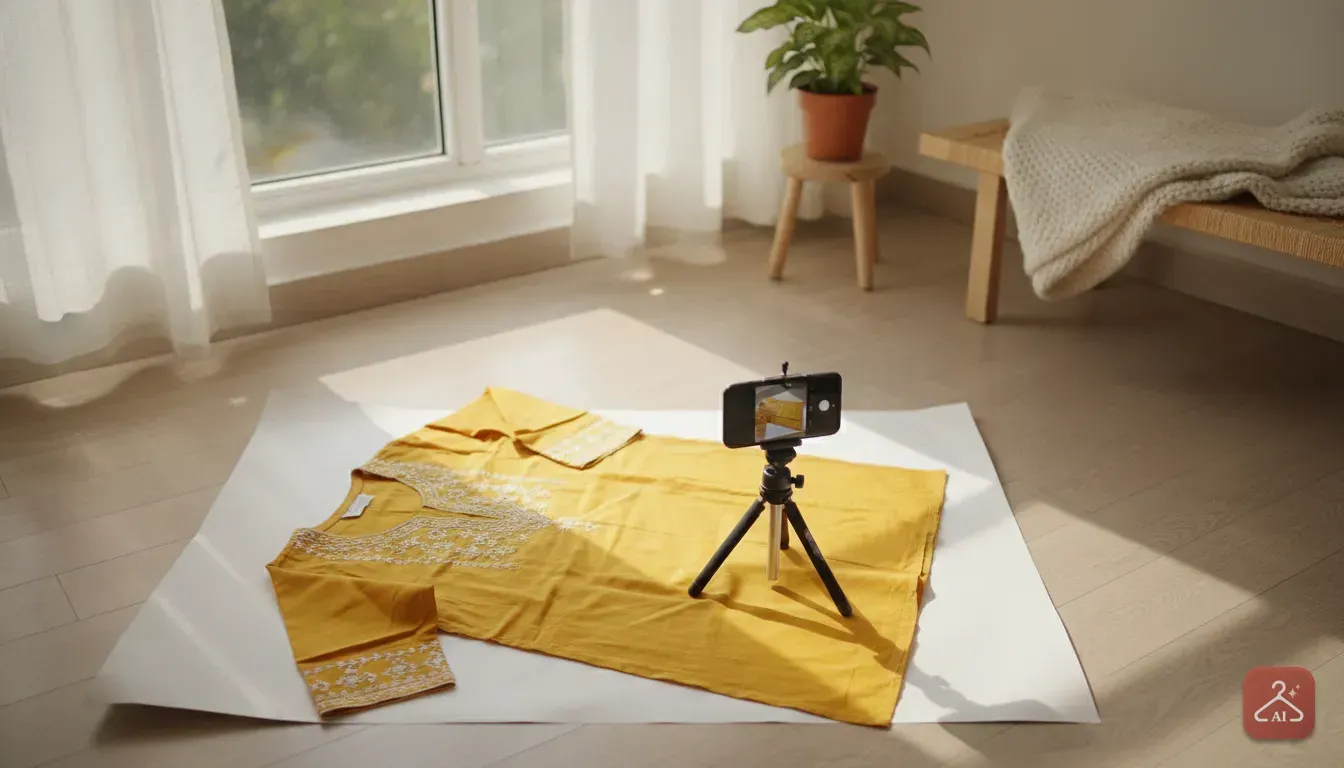
Next, find a spot in your house with bright, indirect daylight. A clear floor space right next to a large window works best. Turn off the tube lights in your room, because mixing artificial light with natural daylight alters the true colour of your clothes.
- Iron everything: Even tiny creases show up on camera.
- Use natural light: Shoot between 10 AM and 3 PM for the best window light.
- Clear the space: Remove shadows cast by furniture or window grills.
Step 2: Take a clean flat lay or ghost picture
Once your garment is ironed and your lighting is sorted, it's time to take the base picture. Lay your garment flat on a clean, solid background. We usually just tape white chart paper to the floor or use a plain ironed bedsheet.
Shape the clothing carefully so it looks natural. Tuck in the waist slightly to show the silhouette. If you shoot ethnic wear like a lehenga or a saree, arrange the pleats neatly so the AI understands the fabric's volume.
If hanging the clothes, use a simple hanger against a blank wall and stuff the chest with tissue paper to add three dimensional shape. Keep your smartphone camera perfectly level with the clothing. Don't tilt the phone up or down, as this distorts the dress length.
Step 3: Turn your product photo into a model photoshoot with AI
Once you have a clear, well lit photo of your garment, you can skip the studio booking entirely. We built Outfit Gen AI specifically to fix this exact problem. It handles shoppers wanting to try clothes online and small sellers needing fast, realistic catalogue photos.
Here is how you use the app for your store:
- Open the app and select the Model Photoshoot feature.
- Upload the flat lay or hanger photo you just took.
- The app uses the Extract Outfit tool to pull the clothing from your photo, cleaning up the edges perfectly.
- Pick a model from the app gallery. Choose body types, styles, and poses that match your target audience.
- Tap generate.
The AI wraps the clothing naturally around the virtual model. It understands where shadows fall, how fabric folds, and how necklines sit. Instead of a flat piece of fabric, you now have a gorgeous photo of a model wearing your design.
Plus, the app is Safe by Design. Every AI image passes an automatic safety check before it is shown. This ensures you always get clean, appropriate catalogue shots.
Step 4: Clean up and change the background to match your brand
A pure white background is the strict standard for marketplaces like Amazon or Flipkart. But if you sell on Instagram or your own website, you'll want something atmospheric. A beautiful background literally stops people from scrolling past your posts.
With the AI Edit feature in Outfit Gen AI, you can change the background completely. You can use ready made templates or describe the exact edit in your own words. It's incredibly flexible.
For example, if you sell a heavy wedding lehenga, you can describe a royal palace setting or a floral mandap. The app generates a matching background that makes the outfit look premium. For casual western wear, you might type in a trendy coffee shop or a sunlit city street.
You can even adjust the lighting to simulate a warm sunset or a bright summer morning. Keeping the background style consistent across your whole catalogue is key. It gives your boutique a highly professional, branded look.
Step 5: Upscale for zoom-friendly listing photos
Online shoppers love to zoom in. They want to check the fine embroidery, print quality, and fabric texture before spending money. Most major e-commerce platforms will actually reject photos that are blurry, pixelated, or low resolution.
When you generate images online, they can get slightly compressed. You need your catalogue photos to be razor sharp. In Outfit Gen AI, we added a one tap 4K Upscale button for this exact reason.
You just tap it, and the app sharpens the entire image. It brings out the rich details in your fabric and makes the model's face look incredibly lifelike. Always upscale before uploading final choices to your shop or social media.
Common mistakes to avoid with AI clothing photos
Making catalogue photos without a photoshoot is much easier today. Still, you need to watch out for a few common traps. Poor execution easily gives away a bad edit.
1. Bad colour matching from poor lighting
If you shoot your original flat lay under a yellow bulb, the AI assumes the dress has a yellow tint. Always use bright natural daylight so true colours show. Buyers get furious when they order a pastel pink dress and receive a dark magenta one in the mail.
2. Ignoring the actual proportions
If you sell a short crop top, don't stretch the base photo to look like a long tunic. Shoppers want a highly accurate representation of the fit. If they want to test the fit on their specific body, they might read a virtual clothes try on guide and use the app themselves, but your store photos must set the right expectation first.
3. Overcomplicating the background
A busy background distracts from the clothes. If you sell heavily printed materials or complex ethnic wear, stick to plain studio backgrounds or a soft outdoor blur. Save heavy architectural backgrounds for solid coloured outfits so the garment remains the focus.
Your next steps for a better catalogue
Getting high quality model photos no longer requires a massive budget or weeks of planning. By taking clean, well lit pictures at home and running them through a smart AI tool, you build a store catalogue that looks expensive. It looks like it cost lakhs to produce.
Your next step is simple. Pick three to five of your best selling items, iron them well, and lay them out next to a bright window. Take some test shots.
Run them through the Outfit Gen AI app. Upload the new model photos to your shop. Watch how your customers respond when they can finally see your beautiful clothes on a real person.
Frequently asked questions
Can I use AI to create product photos for my online clothing store?
Yes. You can take a simple photo of your garment laid flat on the floor and use an AI tool to generate a realistic photo of a model wearing it.
Do I need professional studio lights for the original picture?
No. Natural window light is actually better. Place your garment near a large window during the day and turn off artificial room lights to keep the colours accurate.
Can shoppers tell if the catalogue photo is AI generated?
If done correctly with good base lighting, high quality AI photos look incredibly realistic. Upscaling the final image to 4K ensures the fabric details look natural to online shoppers.
What kind of clothes work best for AI model photoshoots?
Most garments work well, including kurtis, western wear, and party dresses. For complex items like sarees or lehengas, arrange the pleats neatly on the floor so the software understands the drape.

Try it yourself
Outfit Gen AI
See yourself in any outfit before you buy it.