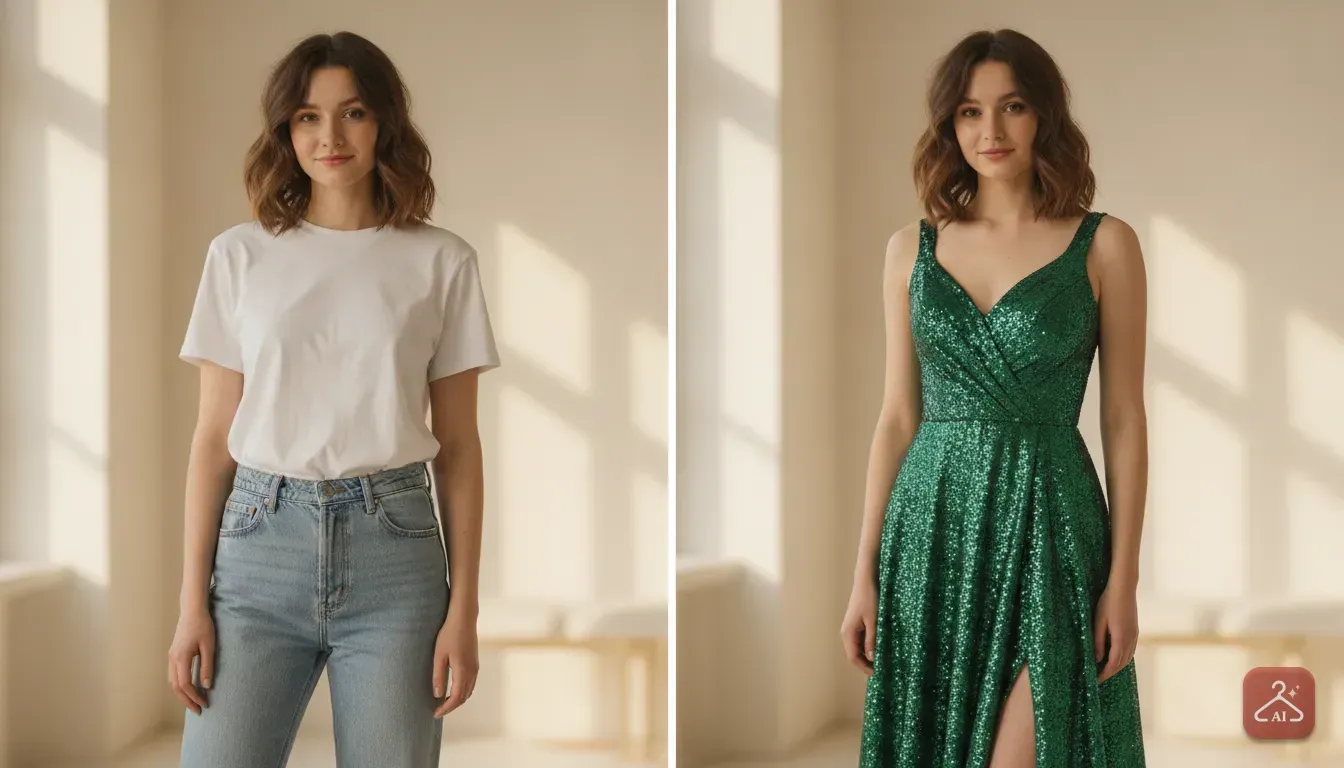
Meesho Product Photo Ideas: Create an AI Model Photoshoot
Learn how to turn simple flat photos of your clothes into professional model shots for your Meesho store without paying for a studio.
 DevForge Studio
7 min read

Selling clothes on Meesho means competing with thousands of suppliers on a single screen. If a buyer scrolls past your listing, you lose the sale. The biggest difference between a dead listing and one with hundreds of daily orders is the main product image.
A flat photo of a kurti lying on a bedsheet simply doesn't grab attention. Buyers want to see how the outfit looks on a real person. They need to understand the fit, the length and the drape.
Hiring models, renting a studio and paying a professional photographer costs a lot of money. Small sellers and boutiques with tight margins usually can't afford it. But you can fix this problem entirely on your phone.
When we share our top Meesho Product Photo Ideas: How to Create an AI Model Photoshoot for Clothing, we always start with the basics. You can take a simple photo of your garment on a hanger and turn it into a high-quality model shot. Here is exactly how to set up your base photos, choose the right styles, and generate images that actually sell.
Why Model Photos Win on Platforms Like Meesho
Online shoppers buy the look as much as they buy the fabric. When a customer searches for a party wear lehenga, they're imagining themselves wearing it. Flat lay photos or images of clothes on cheap plastic mannequins break that illusion.
Model shots provide important context. A good image shows where the hemline falls and how the sleeves fit around the arms. You also see exactly how the fabric behaves when worn.
Cotton looks crisp. Georgette looks flowy. You can't show this properly on a flat surface.
Clear model images give customers immediate confidence. This directly leads to fewer sizing complaints and lower return rates. It saves you serious money on reverse shipping fees.
Preparing Your Clothes for the Camera
Even the smartest software needs a good starting point. If you feed the app a blurry, wrinkled photo taken in a dark room, the final result will look messy. Taking ten extra minutes to prepare your garment makes a massive difference.
1. Iron Every Single Piece
Wrinkles ruin product photos. AI tools can change the background and the model, but they keep the exact folds of your garment to maintain authenticity. Steam or iron the garment thoroughly before hanging it up so deep creases don't show up in the final image.
2. Set Up Good Lighting
You don't need expensive studio lights. Natural window light is your best friend. Set up your hanger or mannequin about two feet away from a large window during the morning or late afternoon.
Turn off the warm yellow tube lights in your room. They will mix with the daylight and ruin the real colour of your fabric. We always aim for soft, even lighting across the whole dress.
3. Position the Garment Correctly
Shoot your photos straight on. If you hold your phone too high, the dress will look short and wide. If you shoot from too low, the proportions will look odd.
Keep your phone camera exactly at the chest level of the garment. For more practical tips on your shooting space, read our guide on How Small Clothing Sellers Can Make Catalogue Photos Without a Photoshoot.
Meesho Product Photo Ideas by Clothing Category
Different clothes need different styling to catch a buyer's eye. Here are a few practical photo ideas depending on what you sell.
Everyday Kurtis and Suits
For daily wear ethnic clothes, buyers want a relatable, comfortable look. Use a clean, bright aesthetic. When you generate your AI background, opt for soft pastel studio backdrops or a sunny outdoor street scene.
The model should look approachable and natural. A plain white or light beige background also works incredibly well for Meesho listings. It makes the bright colours of the kurti stand out immediately.
Sarees
Sarees require special attention to the pallu. When shooting the base photo on a dummy, pin the pallu neatly so the border design remains visible. For the AI generation, traditional poses work best.
We highly recommend warm indoor lighting, wooden textures, or subtle festive decorations for saree backgrounds. These elements give a premium feel without distracting from the fabric itself.
Western Wear and Tops
If you sell western wear like denim, crop tops, or dresses, the vibe needs to be modern. Urban backgrounds, brick walls, or minimalist studio setups look very professional. Keep the styling clean and focus heavily on showing the silhouette.
Party Wear and Lehengas
Lehengas and heavy party wear are high-ticket items. Buyers expect a premium presentation. Use prompts to generate rich backgrounds like palace courtyards, luxury hotel lobbies, or warm evening lighting.
This instantly increases the perceived value of your product.
How to Create an AI Model Photoshoot for Clothing
Once you have a clean, well-lit photo of your garment, you're ready to create your catalogue image. We built our app, Outfit Gen AI, specifically to help small sellers get realistic fashion images without the hassle of a physical shoot.
Here is the exact step-by-step process we use to get the best result:
- Upload your base photo: Open Outfit Gen AI and upload the photo of your garment.
- Extract the outfit: Use the 'Extract Outfit' feature. This tool automatically removes the messy room background, the hanger, or the mannequin neck so you just have the clothes.
- Pick your model: Browse the model options and pick one that fits your target audience. You can select different body types to show buyers an accurate representation of the fit.
- Run the Model Photoshoot: The app will fit your extracted garment onto the chosen model. It adjusts the drape and shadows so the clothing looks like it's actually being worn.
- Use AI Edit for the background: You can use templates or describe your own scene. Type a simple instruction like "clean grey photography studio background with soft lighting" and let the app replace it.
- Upscale to 4K: Meesho compresses images when you upload them. To ensure your catalogue looks sharp when buyers zoom in, tap the '4K Upscale' button for a crisp final image.
Background Prompts You Can Copy and Paste
When using the AI Edit feature, being specific gets you better results. Here are five exact prompts you can type in to get professional catalogue backgrounds:
- For clean catalogue shots: "Solid light grey studio background, soft bright lighting, clean minimalist aesthetic."
- For summer dresses: "Sunny outdoor cafe patio, blurred background, bright morning light."
- For heavy ethnic wear: "Warm indoor lighting, blurred traditional Indian archway in the background, elegant and premium mood."
- For winter wear: "Snowy urban street, soft overcast daylight, blurred trees in the background."
- For activewear: "Modern gym interior, dark mood with spotlight, blurred equipment in the background."
Common AI Photo Mistakes to Avoid
When you start making product photos this way, it's easy to get carried away. Keep these mistakes in mind to protect your seller rating and avoid returns.
Changing the Garment Colour
This is the most critical rule of online selling. If your physical kurti is navy blue, your final photo must show the exact same navy blue. Strong coloured lighting in generated backgrounds can sometimes make clothes look darker or lighter.
Always compare the final image to the real product in your hand. If the colour is off, generate it again with neutral white lighting.
Overcomplicating the Background
Your main goal is to sell the clothes, not the background. If you generate a scene with busy streets or strong shadows, the buyer will get distracted. Keep your backgrounds simple and slightly blurred.
The outfit must always be the focal point of the image.
Ignoring Sizing Proportions
Make sure the final image represents the real fit. If you're selling an oversized baggy t-shirt, don't use a result where it looks tight and fitted. Misleading photos lead directly to customer complaints and bad reviews.
For more advice on matching proportions, check out our guide on How to Choose the Right Photo for an AI Virtual Try-On.
Your Next Step for Better Catalogue Photos
Improving your Meesho listings doesn't require a massive budget. It just takes a bit of patience and the right tools. Start small.
Pick three of your worst-performing clothing listings today. Iron the garments, hang them against a plain wall, and take fresh photos using window light. Run them through an AI model photoshoot process to create clean, professional images.
Upload the new photos to your Meesho store. Then, watch how your click-through rates and orders change over the next week.
Frequently asked questions
Can I use AI to create model photos for heavy sarees and lehengas?
Yes, you can. Just ensure you drape and pin the saree neatly on a dummy or hanger first so the border and pallu design are clearly visible before using the AI tool.
Will using AI change the colour of my clothing product?
AI tools try to maintain the original colour, but strong background lighting prompts can sometimes alter the tint. Always use neutral lighting prompts like 'soft white studio light' and compare the final image to the real garment to avoid customer returns.
Do I need to buy a mannequin to take base photos for AI?
A basic mannequin helps give the clothes a natural 3D shape, but you do not strictly need one. A good quality, broad-shouldered wooden hanger against a plain wall works perfectly well as a starting point.
Why do my AI product photos look blurry when I upload them to Meesho?
Meesho often compresses images to make their app load faster, which reduces photo quality. Always use a 4K upscale feature before uploading to ensure the fabric details remain sharp even after compression.

Try it yourself
Outfit Gen AI
See yourself in any outfit before you buy it.