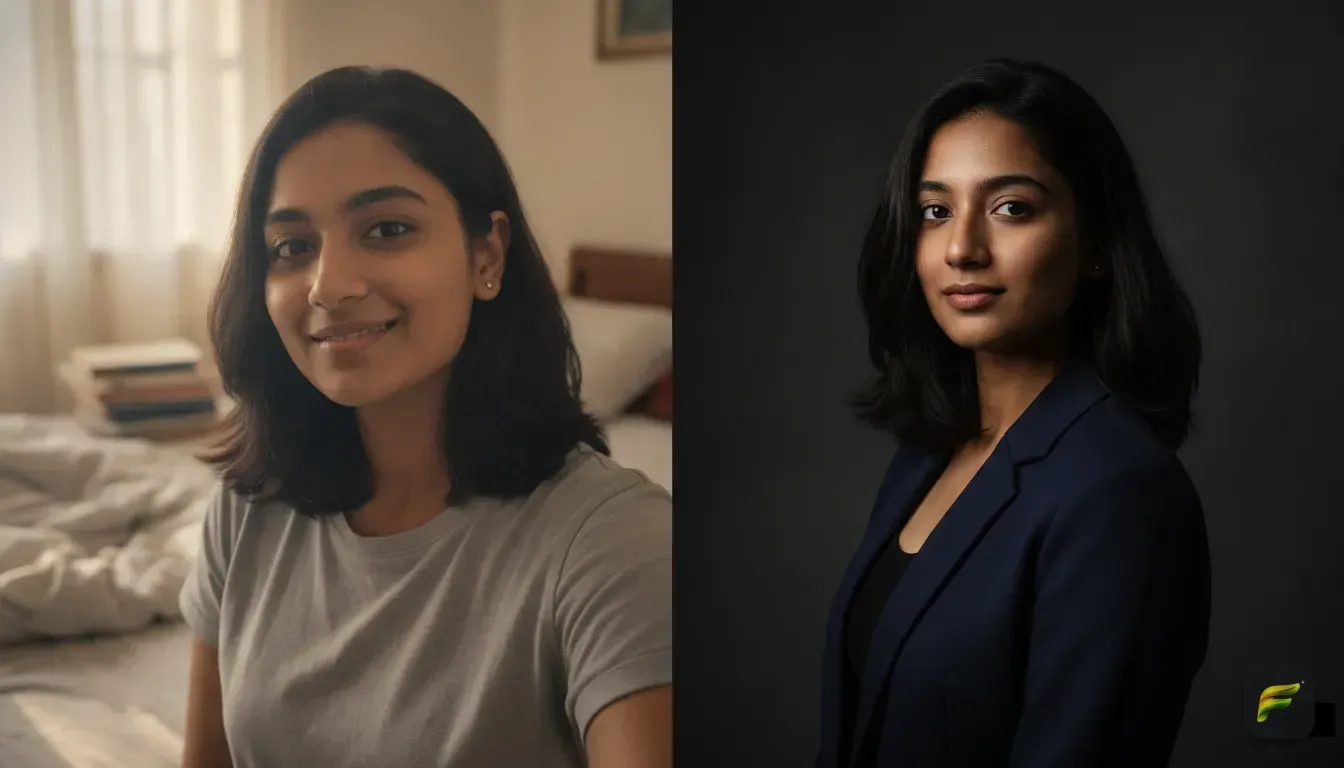
Trending Instagram photo edit ideas for eye-catching reels covers
Stop letting good videos flop because of a boring cover image. Here are the top photo edit trends and AI prompts to make your Instagram grid stand out.
 DevForge Studio
5 min read
You spend hours filming a Reel, so you definitely don't want it to flop over a blurry cover photo. Visitors judge your aesthetic in seconds based on your grid. Trust us, using automatic video screenshots is a fast way to make that profile look messy.
Creators are dropping those random screenshots for styled, polished images instead. We're sharing trending Instagram photo edit ideas for eye-catching reels covers, plus the exact text prompts to get the look fast with AI. You don't need expensive studio lights to pull these off.
The Dark Cinematic Studio Look
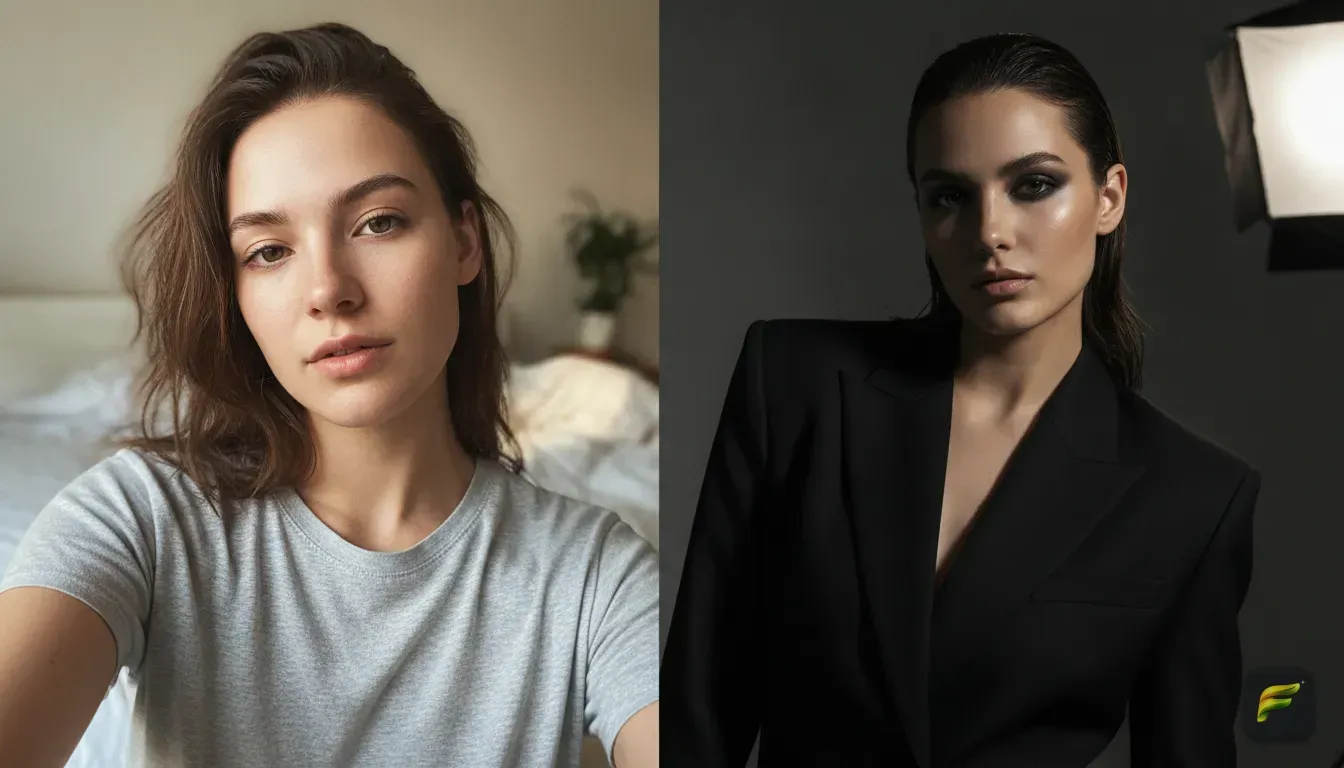
This is incredibly popular right now. The cinematic studio look relies on dark, moody lighting and high contrast to create a premium vibe. It's perfect for "Get Ready With Me" (GRWM) videos, storytimes, and luxury lifestyle vlogs.
The real secret here is keeping the background dark. That way, any text you add pops right off the screen. We find bold yellow font looks incredible against a moody portrait.
AI Prompt to Copy
If you're using an AI tool, paste this exact prompt:
- Prompt: Cinematic portrait, moody studio lighting, dark background, wearing a tailored black blazer, dramatic shadows, sharp focus on the face, 4k resolution.
Mistake to avoid: Don't make the image too dark. Your face and eyes still need to be visible to connect with viewers.
The 90s Vintage Yearbook and Film Vibe
The 90s vintage film look is everywhere. It gives your photo a grainy, faded texture mimicking an old disposable camera to bring an authentic feel to your grid. This style is perfect for travel vlogs, everyday outfit hauls, and casual lifestyle tips.
You can easily recreate this without actually buying old cameras. We wrote a detailed guide on how to do the viral vintage photo edit AI trend on your phone.
AI Prompt to Copy
- Prompt: 90s vintage film photography, grainy texture, wearing a casual oversized denim jacket, bright flash lighting, retro aesthetic, warm nostalgic colors.
The Soft Parisian Afternoon Aesthetic
Romanticizing your life or posting cafe reviews? This is your trend. The Parisian afternoon aesthetic uses golden tones and soft focus to make everything look dreamy.
You don't need a flight to Europe. AI can drop your selfie right into a sunny cafe or a classic balcony. We've seen this completely change the mood of a basic photo.
AI Prompt to Copy
- Prompt: Soft Parisian afternoon aesthetic, sitting in a sunny cafe, wearing a floral summer dress, warm golden hour lighting, pastel tones, blurred background.
The High Fashion Editorial Shoot
Sometimes you just need a clean, bold look. The high fashion editorial style uses solid backgrounds and sharp studio lighting to show authority. It leaves plenty of blank space to write large, readable text titles for educational Reels, business tips, or fitness advice.
These covers are striking. You can easily reuse them as your main profile picture. Check out our favorite best AI photo templates for Instagram profile pictures for more ideas.
AI Prompt to Copy
- Prompt: High fashion editorial magazine cover, solid white background, wearing a bright red power suit, sharp focus, bright studio lighting, confident expression.
The Y2K Cyberpunk and Neon Glow
A soft vintage look won't fit high-energy dance trends or tech reviews. You need something vibrant. The Y2K cyberpunk trend uses bright neon pinks, blues, and futuristic clothing to grab attention instantly.
This style jumps off the screen. It tells viewers your video will be fun, loud, and energetic.
AI Prompt to Copy
- Prompt: Y2K cyberpunk style, vibrant pink and blue neon lighting, wearing a futuristic silver jacket, nighttime city background, glowing effects, high energy.
How to Choose the Perfect Base Photo for AI Edits
You need a good base photo to get great results from AI tools. Feed it a blurry selfie, and it will struggle to make a realistic cover.
Follow these quick rules when uploading:
- Clear lighting on your face: Stand facing a window. Natural light helps the tool understand your facial features.
- Look straight ahead: Photos looking directly into the lens work best. Avoid extreme side profiles unless you want an artsy silhouette.
- No heavy filters: Upload an unedited photo. Instagram filters or beauty apps usually confuse the software.
- Keep it simple: A plain t-shirt against a blank wall is actually perfect. The AI will do the heavy lifting of changing your clothes and background.
Getting One-Tap Covers With Fotorra AI
Creating these edits manually in professional software takes hours of masking, color correcting, and lighting adjustments. We built Fotorra AI to speed up that workflow. It lets you do this in seconds right from your phone.
Our app transforms your photos instantly while keeping your face looking natural. Use curated templates like Cinematic Studio or Paris Afternoon for one-tap edits. If you have a specific vision, just type it into the custom prompt box to get exactly what you describe.
We know privacy matters. Your uploads are only used to create your edit, never to train our models. Your finished images save right to your phone camera roll, ready for Instagram.
Formatting Your Reels Cover for the Instagram Grid
You have your edited photo. Now you need to make sure it fits the grid. Reels play in a vertical 9:16 ratio (1080 x 1920 pixels), but Instagram crops them into a square 1:1 ratio for your main profile.
Put important text near the edges, and it gets chopped off. Always place your text and your face dead center. Most apps have a grid layout tool to check this square crop.
Keep your fonts readable. Use bold letters with high contrast against the background. We find a thick white font with a slight black drop shadow works on almost everything.
Start Batching Your Covers Today
The easiest way to keep your grid cohesive is planning ahead. Generate 4 or 5 covers at the same time and save them in a dedicated folder on your phone. You'll always have a stunning cover ready to go, which gets you more views with zero extra stress.
Frequently asked questions
What is the best size for an Instagram Reels cover?
The ideal size for a Reels cover is 1080 x 1920 pixels (a 9:16 vertical ratio). However, you must keep all important text and faces in the center 1080 x 1080 square, as Instagram will crop the image to fit your profile grid.
How do I keep my face looking natural in AI photo edits?
Start with a high-quality, well-lit selfie where you are looking at the camera without heavy filters. Using a dedicated app like Fotorra AI ensures your facial features remain intact while only the outfit, lighting, and background change.
Can I change my outfit in a Reels cover photo?
Yes, AI photo editors allow you to completely swap your clothes using text prompts or templates. You can take a photo in a basic t-shirt and use AI to dress yourself in a tailored suit, vintage jacket, or high-fashion dress for your cover.
Why is my Reels cover blurry on the Instagram grid?
Your cover may be blurry if you used a low-resolution screenshot directly from your video file. To fix this, create a custom high-resolution image using a photo editor and upload it separately when publishing your Reel.
Try it yourself
Fotorra AI
Transform photos instantly with AI.