
Best AI Photo Templates for Instagram Profile Pictures
Want a fresh profile picture that gets noticed? Here are the best AI templates and styles to update your Instagram instantly.
 DevForge Studio
6 min read
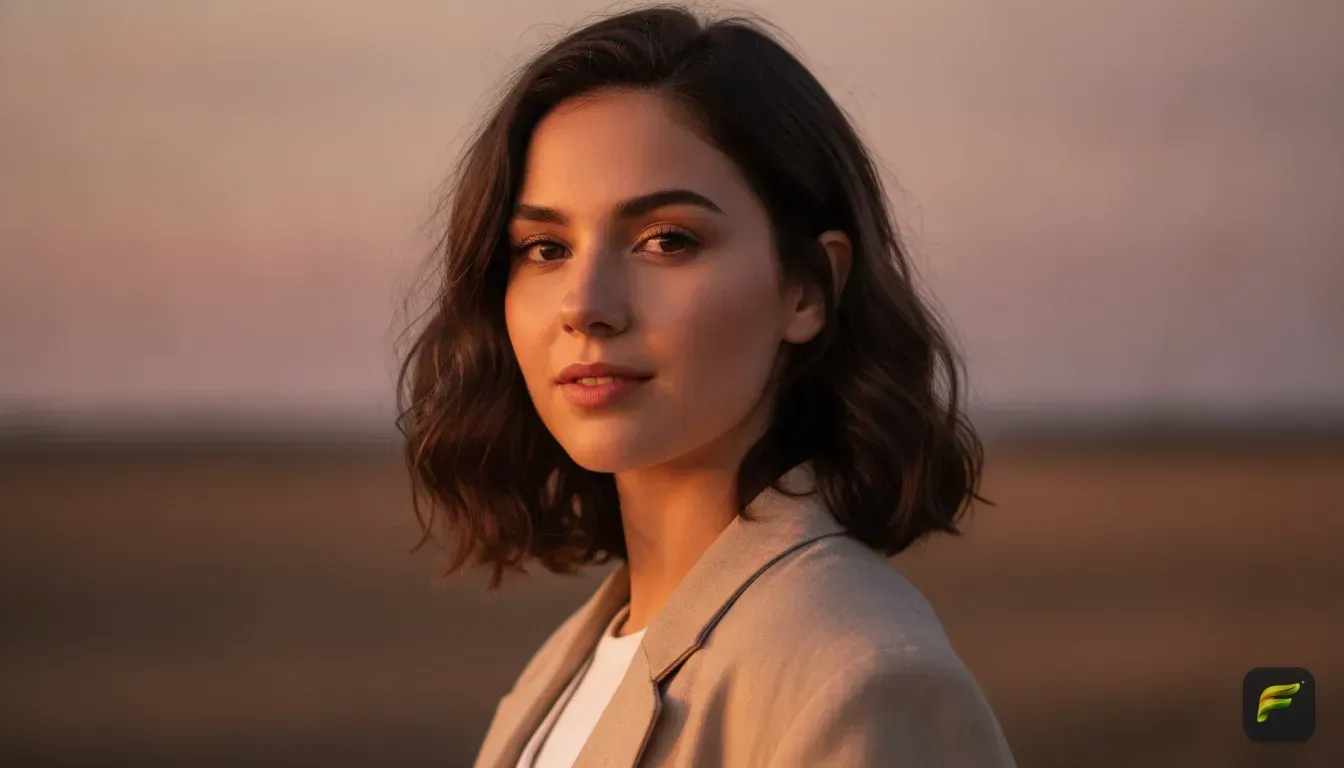
Updating your Instagram profile picture usually leaves you with two choices. You can spend hours prepping for a photoshoot, or endlessly scroll for a decent selfie.
Now you have a third option. Using the best AI photo templates for Instagram profile pictures gives you a fresh look in seconds. Start with an ordinary selfie, apply a template, and get a polished portrait back.
We want to show you exactly which styles work for that tiny circular crop. You'll learn how to prep your base photo and write custom prompts. This gets you a highly polished result without opening a complicated editing program.
Pick the Right Base Photo First
Before experimenting with an ai portrait generator from photo, you need a solid starting point. The AI needs to see your face clearly. A bad input photo always leads to a bad edit.
- Find good lighting: Face a window so natural light hits your face evenly. Avoid harsh shadows across your nose or eyes. If one side is dark, the AI guesses what is there, which often creates weird artifacts.
- Keep a neutral expression: A slight smile works best. We see massive grins confuse the AI and warp jawlines all the time.
- Look straight at the camera: Profile shots make it hard for the AI to reconstruct your other side. A straight-on headshot gives the software exactly what it needs.
- Clear away clutter: Stand against a plain wall. Starting with a clean slate helps the system map your face and hair properly.
Best AI Photo Templates and Styles to Try
Your profile picture must stand out on a mobile screen. It has to look sharp even when it is tiny. Try these trending ai photo edit styles for your next update.
The Cinematic Studio Look
A cinematic photo edit makes you look like a film character. These templates add dramatic lighting, blurred backgrounds, and rich colour grading.
This style pulls the viewer's eye directly to your face. It works perfectly for creators wanting a professional vibe.
The Vintage 90s Aesthetic
Film cameras are incredibly popular right now. You don't need one to get the look, though.
A vintage photo edit ai template adds film grain, light leaks, and slightly muted colours. It feels nostalgic and warm. This remains one of the top aesthetic photo edit ideas for personal accounts wanting a relaxed feel.
The Old Money and Quiet Luxury Style
This trend is everywhere right now. The templates swap your casual clothes for structured blazers, silk tops, or crisp linen shirts.
They place you in settings like a Parisian balcony or a classic library. If you want to change outfit in photo ai without buying new clothes, try this style. It makes your profile look instantly expensive.
Bold Neon and Cyberpunk
For gaming accounts or tech pages, neon templates are highly effective. They use bright pinks, purples, and blues to light up your face against a dark background.
This sharp contrast grabs attention immediately. It pops perfectly when someone scrolls past your comments or stories.
How to Get These Looks with Fotorra AI
Finding an ai photo editor app that actually works gets frustrating fast. Many apps change your face so much that your own friends won't recognise you. We built Fotorra AI to solve this exact problem.
The app uses curated templates to transform your photos instantly. We included built-in styles like Cinematic Studio, Paris Afternoon, and Girl's Closet.
You just upload your selfie and pick a template. Fotorra updates the lighting, background, and outfit. Crucially, it keeps your face intact while changing the rest of the image.
You can even try a new hairstyle in seconds before booking a salon. Your edited photos save directly to your phone, ready to post.
We also made sure the app is private by design. Your uploads are only used for your edit and are never used to train AI models.
5 AI Photo Editing Prompts You Can Copy Right Now
Sometimes a ready-made template isn't enough. You might have a specific vision for your grid. Custom text prompts let you describe exactly what you want.
Just type a sentence, and the AI builds the scene around your face. When writing these, be specific about lighting, clothing, background, and camera style.
Here are five specific ai photo editing prompts you can copy and paste:
- The Sunny Cafe: "A bright and airy headshot of a person sitting in a sunny Parisian cafe, wearing a white linen shirt, drinking an espresso, soft natural daylight, high resolution."
- The Professional Studio: "A professional studio portrait of a person standing against a dark grey backdrop, wearing a sharp navy blue suit, dramatic rim lighting, 85mm portrait lens, highly detailed."
- The Tokyo Night: "A close-up portrait of a person standing in a neon-lit Tokyo street at night, wearing a black leather jacket, cinematic lighting, sharp focus on the face, blurred bright lights in the background."
- The Summer Meadow: "A vintage 1990s film camera photo of a person walking through a summer meadow, wearing a floral dress, soft grainy texture, warm golden hour lighting."
- The Ethereal Glow: "An ethereal portrait of a person surrounded by glowing fireflies in a dark forest, wearing a flowing silk top, magical blue and gold lighting, soft focus."
Mistakes to Avoid With Your Profile Picture
Even with great ai filters for selfies, things go wrong if you aren't careful. We see these errors constantly. Keep these points in mind so you get the best possible result.
Do Not Over-Smooth Your Skin
You want to look like a real human, not a plastic doll. Let the AI keep some natural skin texture, pores, and subtle lines.
If you remove all texture, your photo immediately looks fake. For advice on maintaining a realistic look, read our guide on 5 AI photo editing prompts that keep your face natural.
Avoid Messy Backgrounds
A profile picture is tiny. If your background has too much going on, your face gets lost in the noise.
Stick to simple skies, solid colours, or heavily blurred environments. The focus should always stay on you.
Keep the Framing Tight
Your face should take up at least sixty percent of the image circle. Full-body shots work well for grid posts, but they make terrible profile pictures.
No one can see who you are. Ask the AI to generate a close-up or a headshot specifically.
Do Not Make Permanent Changes Too Fast
Thinking of a massive physical change to match your new digital aesthetic? Stop for a moment.
You might want to try a new hairstyle on your photo with AI before the salon. This makes sure a drastic cut actually suits your face shape in real life.
Update Your Instagram Look Today
Your profile picture acts as your digital first impression. You don't need expensive equipment or hours of manual editing to look professional.
Start with a well-lit selfie. Pick a template that matches your personal brand, and let the AI do the heavy lifting.
Open your camera roll right now. Find a photo where you really like your smile.
Download Fotorra AI, apply a cinematic or vintage template, and see the difference. A fresh profile picture upgrades your entire presence in seconds.
Frequently asked questions
Can I use AI to change my clothes in a photo?
Yes, AI editors allow you to swap outfits effortlessly. Apps like Fotorra AI let you type a prompt or choose a template to change your clothing while keeping your original face intact.
Why do AI photos sometimes look unlike me?
This usually happens if your original photo has poor lighting, heavy shadows, or you are looking away from the camera. The AI needs a clear, well-lit, straight-on view of your face to recreate your features accurately.
Are AI photo editing apps private?
It entirely depends on the app you use. Fotorra AI is private by design, meaning your uploads are only used to create your edit and are never saved or used to train artificial intelligence models.
What is the best AI prompt for a professional profile picture?
For a professional look, you should use keywords like 'studio lighting', 'neutral background', 'sharp focus', and 'professional attire'. Keeping the background simple ensures your face remains the main focus.

Try it yourself
Fotorra AI
Transform photos instantly with AI.


